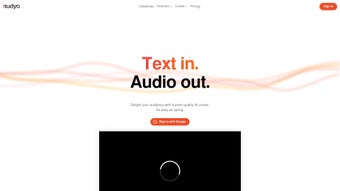

Download Audyo – AI-Powered Human-Like Audio Editing Tool
Overview
Audyo is a cutting‑edge, AI‑driven audio editing platform that transforms plain text into natural‑sounding, human‑like speech. Unlike traditional DAWs that require intricate waveform manipulation, Audyo focuses on word‑level editing, letting creators generate, modify, and polish voiceovers with a few clicks. The tool’s intuitive interface supports speaker switching, phonetic pronunciation tweaks, and seamless Google sign‑in, making it especially attractive for content creators, podcasters, and marketers who need high‑quality audio without a steep learning curve. While Audyo shines in speed and ease‑of‑use, it is limited to text‑based input, requires an active internet connection, and lacks deep waveform editing features found in professional suites. Nevertheless, for anyone looking to embed professional‑grade voice content into videos, e‑learning modules, or social media clips, Audyo offers a compelling balance of automation, quality, and accessibility.
Key Features of Audyo
- AI‑Generated Human‑Like Voices: Utilizes deep‑learning models to produce natural intonation, pacing, and emotional nuance.
- Text‑Based Editing: Edit words directly rather than handling raw waveforms, simplifying the revision process.
- Speaker Switching: Instantly change the voice persona mid‑script to simulate dialogues or multi‑speaker presentations.
- Phonetic Customization: Fine‑tune pronunciation using IPA‑style phonetics for brand‑specific terms or uncommon names.
- Google Account Integration: Quick sign‑in, cloud‑based project storage, and easy sharing across devices.
- Export Options: Download audio in MP3, WAV, or OGG formats, with adjustable bitrate for optimal file size.
- Real‑Time Preview: Listen to changes instantly, ensuring the final output matches expectations before export.
- Multi‑Platform Accessibility: Web‑based interface works on Windows, macOS, Linux, Android, and iOS browsers.
These features collectively reduce the time needed to produce professional audio from hours to minutes. For marketers chasing rapid turnaround, educators preparing lecture recordings, or indie game developers needing voice lines, Audyo’s AI engine eliminates the need for costly voice actors or complex recording setups.
Installation & Usage Instructions
Because Audyo is a cloud‑native service, there is no traditional installation process. Users simply need a modern web browser (Chrome, Edge, Firefox, or Safari) and a stable internet connection. Follow these steps to start creating audio instantly:
- Visit the Audyo website: Navigate to www.audyo.com and click the “Get Started” button.
- Sign in with Google: Choose the Google sign‑in option to create a secure, password‑free account. Your projects are saved automatically to your Google Drive, enabling cross‑device access.
- Create a new project: Click “New Audio” and enter your script in the text box. Select a voice from the library—Audyo offers a range of male, female, and gender‑neutral voices across different accents.
- Customize pronunciation: Highlight any word that needs adjustment, click the “Phonetics” icon, and input the desired IPA symbols. The AI will reinterpret the word accordingly.
- Switch speakers (optional): Insert a “Speaker Change” tag where dialogue shifts. Choose a new voice, and Audyo will seamlessly blend the transition.
- Preview and edit: Use the real‑time playback button to listen. If a sentence sounds off, edit the text directly; the AI regenerates the audio instantly.
- Export the final file: Once satisfied, click “Export,” choose your preferred format (MP3, WAV, OGG), set the bitrate, and download the file to your device.
Since Audyo runs in the browser, it is compatible with all major operating systems, including Windows 10/11, macOS Monterey and later, Linux distributions, as well as mobile platforms like Android 9+ and iOS 13+. The only system requirement is an up‑to‑date browser with JavaScript enabled.
For teams, Audyo also offers a collaboration mode where multiple users can comment on a script, suggest voice changes, and approve final versions before export. This workflow eliminates the back‑and‑forth email chains that typically slow down audio production.
Pros and Cons
What Audyo Does Well
- Speed: Generate polished audio in seconds, dramatically cutting production timelines.
- User‑Friendly: No audio engineering background required; the text‑centric interface is intuitive.
- Quality: AI voices sound natural, with expressive intonation and accurate pronunciation.
- Flexibility: Easy speaker swapping and phonetic control enable diverse use cases.
- Cloud‑Based: Automatic saving, instant access from any device, and no local storage constraints.
Areas for Improvement
- Internet Dependency: Requires a stable connection; offline work is not possible.
- Text‑Only Input: Users cannot upload existing audio for editing or merging.
- Limited Advanced Editing: No waveform manipulation, effects, or multi‑track mixing.
- Pricing Tiers: Free tier has usage caps; higher‑volume creators need a paid subscription.
- Accent Variety: While several accents exist, niche regional dialects are still missing.
Frequently Asked Questions
Is Audyo really free to use?
Audyo offers a free tier that includes up to 30 minutes of generated audio per month. For higher limits, a subscription plan starting at $9.99 per month is required.
Can I export audio in a lossless format?
Yes. Audyo supports WAV export, which is lossless, alongside MP3 and OGG for compressed needs.
Do I need a powerful computer to run Audyo?
No. Since processing occurs on Audyo’s servers, any modern device—desktop, laptop, tablet, or smartphone—can handle the interface without heavy CPU or RAM requirements.
How secure is my audio content?
Audyo employs TLS encryption for data transmission and stores projects on Google Drive with your own access permissions, ensuring confidentiality.
Can I use Audyo for commercial projects?
Absolutely. All subscription plans grant commercial usage rights, allowing you to embed generated audio in marketing videos, podcasts, and paid courses.
Conclusion – Is Audyo the Right Tool for You?
Audyo represents a significant leap forward for creators who need fast, high‑quality voice content without diving into the complexities of traditional audio production. Its AI‑driven engine, speaker‑switching capabilities, and phonetic fine‑tuning make it a standout choice for marketers, educators, podcasters, and indie developers alike. While the reliance on an internet connection and the lack of deep waveform editing may deter power users, the trade‑off is a dramatically reduced turnaround time and a learning curve that even non‑technical users can master within minutes.
For anyone looking to produce professional‑grade narration, dialogue, or promotional voiceovers on a budget, Audyo’s free tier provides a risk‑free entry point. As your needs grow, the paid plans unlock higher limits, priority processing, and extended voice libraries—making scaling seamless.
Ready to experience AI‑powered audio creation? Click the button below to sign up with your Google account, generate your first clip for free, and discover how Audyo can transform your content workflow.



.png)



